Showing posts with label photo editor. Show all posts

Monday, October 19, 2015

Ribbet


In 2005, a tremendous photo editor, Picnik, came out and helped transform free, online photo editing. This site was a great tool for teachers and students alike as the ability to edit photos from any web enabled computer was now available, free. Then around 2012, Google purchased Picnik with the hopes of bringing the photo editing experience to their products. However, this unfortunately meant the closure of Picnik. There was much sadness and disappointment in the education world, myself included, as this tool was perfect for photo editing.

We tried to fill the void with other good online tools like PicMonkey and Pixlr, but there always seemed to be that hole that something wasn't quite right.

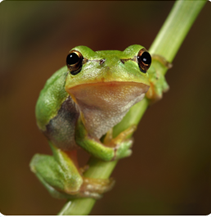
Today, as I was looking at some other Chrome tools in the Web store, one of the "suggested for you" links was Ribbet. And I noticed a curious little tree frog looking back at me. So I went to the link and discovered Ribbet is Picnik! Well, not the same company, but basically the same product taken on by a team of programmers and designers who saw the public outcry for Picnik. They even got permission to use the tree frog image.

I don't know how long this has been out there, but I am pretty excited about using Ribbet. Great for online photo editing and collage creation. Just like Picnik, the majority of the site is free, but there are some Premium edits only available to those that upgrade and pay the $29.95/year fee (that is the best price; there is also a $4.95 monthly, and $19.95 six monthly).

So visit www.ribbet.com and get to creating!

Friday, May 2, 2014

What do these pictures have in common?

Take a look at this picture from Josh Wilson.


What do all of these pictures have in common? (exclude the middle picture as it is merely decorative)

If you know answer in the comments section.

They are all things over your head.

These types of brain teasers are great for kids as long as they are challenging but not overly hard for their grade level. Think about all of the great group discussion that could happen with a picture riddle like this.

Student could use picture editors to create an image like this. A downloaded program like Paint.net would work or use a free an online editor like Pixlr  or  SumoPaint.

They could also use PowerPoint to create What (or Who) am I riddles. Tammy Worcester Tang has a great tutorial on how to do this process.
http://tammyworcester.com/what-am-i/http://tammyworcester.com/what-am-i/

Use some graphics in your class and see if you can get some good discussion going.

Thursday, January 9, 2014

Online Photo Editors

Here is a list of online photo editors I really like. These are great tools for student projects, especially to work at home with photo editing, without having to purchase expensive photo editing software.

Picadilo - http://www.picadilo.com/
Picmonkey - http://www.picmonkey.com/
Picfull - http://www.picfull.com/
Pixlr - http://pixlr.com/
Fotoflexer - http://fotoflexer.com/
iPiccy - http://ipiccy.com/
Ribbet - http://www.ribbet.com/
Fotor - http://www.fotor.com/
PhotoCat - http://web.photocat.com/
QuickTools - http://www.quickpicturetools.com/en/
SumoPaint - http://www.sumopaint.com/www/
Dumpr - http://www.dumpr.net/

All of these do something the other doesn't. Find a couple you like and give them a try.