Saturday, September 5, 2026

Looking Back to Look Forward: What a 14-Year-Old Video Teaches Us About Today’s Classroom Screen Time Debate

https://youtu.be/53PzQD58JP0?is=iiwdplTiwsGUgfTd 


This video was from 14 yrs ago. The debate on screen time is not new. 

Remember when educational technology meant rolling a heavy CRT television into the classroom on a tall metal cart, or logging into a desktop computer lab once a week? Fourteen years ago, digital integration in K-12 schools felt like an exciting frontier of limitless potential. A classic video from that era captures a moment of pure optimism, showcasing early digital tools and tablets entering the mainstream educational space with promises of revolutionizing how students learn.

Fast forward to today, and that starry-eyed optimism has collided with a complex reality. Schools across the country are locked in intense debates over student screen time, smartphone bans, and the cognitive toll of ubiquitous digital devices. As educators navigate policies ranging from Yondr pouches for phones to completely paper-based instructional hours, looking back at where this digital shift started offers a valuable perspective on the current crisis.


The Shift from Novelty to Saturation


Yesterday’s Vision: A decade and a half ago, screens were treated as special interactive elements designed to boost student engagement and democratize access to information.

 Today’s Reality: Devices have shifted from occasional learning supplements to constant tethers, raising urgent concerns about attention spans, digital fatigue, and student well-being.


The Current Screen Time Debate in K-12 Schools


The Push for Disconnection: Driven by mounting research on adolescent mental health and distraction, districts nationwide are implementing strict bans on personal smartphones during instructional hours.

 The Instructional Dilemma: While teachers see the benefits of removing social media distractions, many still rely on digital platforms for core curriculum, hybrid learning structures, and specialized accommodations.

 Finding the Balance: Modern classrooms are trying to redefine "meaningful tech use"—moving away from passive screen consumption toward intentional, creation-based digital literacy.


Revisiting the tech discussions of fourteen years ago reminds us that tools are only as effective as the boundaries we set around them. As teachers balance digital expectations with the cognitive needs of students today, the goal isn't to reject technology entirely, but to ensure that humans—not screens—remain at the center of the educational experience.


Wednesday, August 12, 2026

First day of school


For the first time in more than 50 years, I’m not beginning a new school year as either a student or an educator. It’s a strange feeling, and I’m not quite sure what to make of it yet.

As this new school year begins, I’m praying for a safe, successful, and rewarding first day for every student, teacher, staff member, administrator, and parent. May this year be filled with learning, growth, kindness, and countless opportunities to make a positive difference.

Wishing everyone a wonderful school year!


Tuesday, August 4, 2026

Technology Expectations

Before you hand students a device, teach them the expectations. Technology works best in the classroom when the rules are clear from day one. 
 📱 Teach students: 
✅ How to use the device responsibly. 
⏰ When to use it—and when it stays closed. 
🖐️ How to handle it with care and respect. 
📍 How to put it away quickly and correctly when it’s time to transition. 

Don’t assume students already know these routines. Model them. Practice them. Reinforce them. A few minutes spent teaching technology expectations now can save hours of redirection later—and create a classroom where technology supports learning instead of distracting from it. 

Remember: Don’t just teach the lesson. Teach the procedures that make the lesson possible.

A great resource for procedures. 

Tuesday, July 21, 2026

Scott's Top 20

 After 33 years in Education and 25+ years focusing on Educational Technology, I have finally retired. Here is my last presentation for our district's Technology Conference. In all my years of presenting, I have never done a top tools or top 10 list. Of course, 10 turned into 20, and 20 turned into more. More than I had time to share. 

Scott's Top 20


This license lets others remix, adapt, and build upon your work non-commercially, and although their new works must also acknowledge you and be non-commercial, they don’t have to license their derivative works on the same terms.

Tuesday, June 24, 2025

Triple G: Gobs of Google Goodies


Had the fun opportunity to present at our district's SPARK Digital Learning conference. It was a very fun group to present Gobs of Google Goodies to. We started with the Cha-Cha Slide and ended singing like Freddie Mercury. Hopefully, fun was had by all.

Triple G: Gobs of Google Goodies


I Don't Know What to Create

 Time after time, I hear teachers who want to do something with students using technology but are unsure what to create. Here is a list of products students can make that show off their knowledge. 


  1. Audio Recording
  2. Advertisement
  3. Analogy
  4. Animation
  5. Avatar
  6. Blog
  7. Book Jacket
  8. Brochure
  9. Bulletin Board
  10. Cards (Playing/Task)
  11. Character Conversations
  12. Class Book
  13. Creative Nonfiction
  14. Collage
  15. Comedy Skit
  16. Comic Strip
  17. Commercial
  18. Concept Map
  19. Conversation
  20. Dance
  21. Data/Analytics Visualization
  22. Debate
  23. Demonstration
  24. Diary Entry
  25. Digitally-Documented Discussion
  26. Diorama
  27. Doodle
  28. Drawing
  29. eBook
  30. Essay
  31. Experiment
  32. Fake Social Media Account
  33. Film
  34. Freestyle (hip-hop)
  35. Flow Chart
  36. Game
  37. Gif Animation
  38. Glossary
  39. Google Earth Tour
  40. Graph
  41. Graphic Organizer
  42. Infomercial
  43. Interview
  44. Kahoot!
  45. Learning Log
  46. Literature Circle
  47. Live Stream
  48. Magazine
  49. Map
  50. Mock-Up/Wireframe
  51. Mock Product-Pitch
  52. Model
  53. Monologue
  54. Movie Poster
  55. Mural
  56. Mash-Up
  57. News Report
  58. Newsletter/ Newspaper
  59. Panel Discussion
  60. Paper Slides Video
  61. Photo
  62. Podcast
  63. Poem
  64. Portfolio
  65. Poster
  66. Presentation (Google Slides)
  67. Product
  68. Puppet Show
  69. Reenactment
  70. Relevant Visualization
  71. Review
  72. Role-Play
  73. Rules/Framework
  74. Scavenger Hunt
  75. Scrapbook
  76. Sculpture
  77. Survey
  78. Self-Directed Project
  79. Self-Directed Short Video
  80. Show & Tell
  81. Simulation
  82. Six Word Story
  83. Social Media Branding
  84. Socratic Discussion
  85. Song
  86. Stop Motion Animation
  87. Speech
  88. Tag Cloud
  89. Team-Building Game
  90. Time Capsule
  91. Theatrical Play
  92. Timeline
  93. Tutorial
  94. Video Game
  95. Website
  96. Whiteboard Animation
  97. Word Splash
  98. Word Wall
  99. Wiki
  100. YouTube Channel

Friday, August 2, 2024

The AI Delima: Cheating or Working Smarter

I created this AI presentation for a principals leadership meeting I sent in a proposal for, but it didn't get accepted. Still, I like it so thought I'd share. Similar to my other AI presentation, but this one focuses on defining student cheating, acknowledging AI exists, and the need for a policy.

Thank you to Matt Miller for the inspiration and for the "What's Cheating" graphic. Make sure to check out his site for many great resources. https://ditchthattextbook.com/


This license lets others remix, adapt, and build upon your work non-commercially, and although their new works must also acknowledge you and be non-commercial, they don’t have to license their derivative works on the same terms.

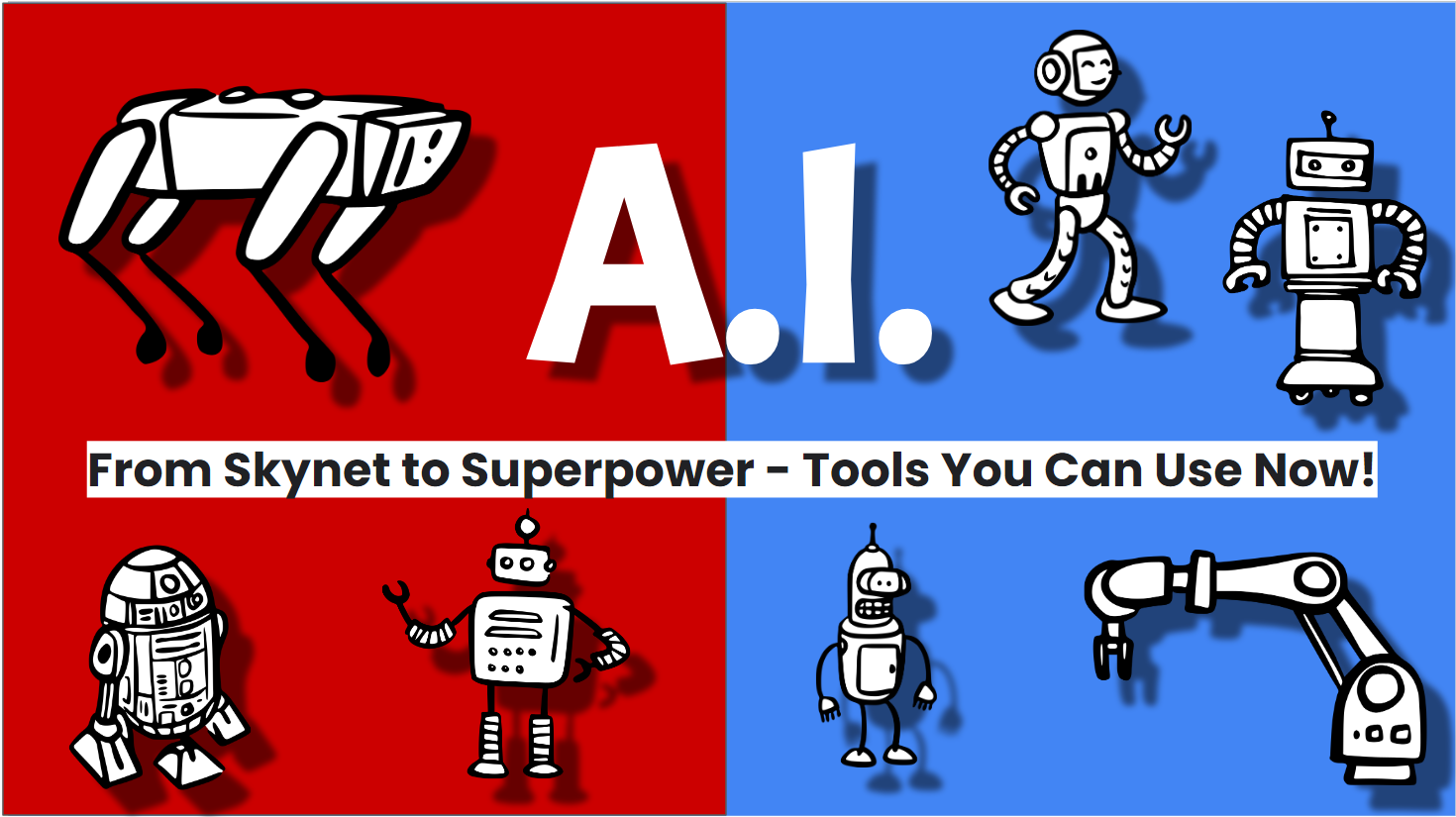
AI: From Skynet to Superpower; Tools you can use today

I was privileged to present this session for LISD teachers twice this summer. As I told them, I am not an AI expert but an enthusiast. It will be interesting to see how this will impact education. 

I showed these tools to be used as teacher tools and not necessarily for students use. Still a lot of fuzzy policies out there for students. 


This license lets others remix, adapt, and build upon your work non-commercially, and although their new works must also acknowledge you and be non-commercial, they don’t have to license their derivative works on the same terms.

Monday, April 15, 2024

A.I. presentation

 Working on a new (I guess more like updated) A.I. presentation for some summer classes. How does anyone keep up with this new stuff?!? So much to tell teachers and so little time. Keep looking at our social media for @LISDTechTips on Facebook, X(Twitter), Instagram, and Threads. 


This license lets others remix, adapt, and build upon your work non-commercially, and although their new works must also acknowledge you and be non-commercial, they don’t have to license their derivative works on the same terms.

Tuesday, May 30, 2023

My Ignite 2023 Presentations


Looking forward to presenting again this year at our district technology conference Ignite 2023


A.I.: The Computers are Learning


This license lets others remix, adapt, and build upon your work non-commercially, and although their new works must also acknowledge you and be non-commercial, they don’t have to license their derivative works on the same terms.

Friday, May 27, 2022

My Ignite 2022 Presentations

The Ignite conference is here! Here are my three presentations.


Day 1 - Session 1 - 9:45 am - Room 156

Creativity with Chromebooks - https://bit.ly/SFcreativity 


Day 1 - Session 3 - 1:15 pm - Room 156

Tell Your Tale Through Digital Storytelling - https://bit.ly/SFdigstory 


Day 2 - Session 6 - 10:15 am - Room 156

The Wild and Wacky Side of Google - https://bit.ly/SFWild 


This license lets others remix, adapt, and build upon your work non-commercially, and although their new works must also acknowledge you and be non-commercial, they don’t have to license their derivative works on the same terms.

Monday, May 23, 2022

ALMOST TIME!!!


I am getting extremely excited (and a bit nervous). After a 2 yr hiatus from presenting (thanks stupid COVID!!!) I am finally getting the opportunity to present to a group again. 

Looking forward to our Lubbock ISD Ignite 2022 Technology Conference put on by our Digital Learning department. 


I have three sessions this year. 

  • Creativity with Chromebooks (June 1st, 9:45 am)

  • Tell your Tale with Digital Storytelling (June 1st, 1:15 pm)

  • The Wild, Wacky, and Fun Side of Google (June 2nd, 10:15 am)

I'll post the three presentations here early next week. 

As always, I offer up my sessions to show your staff as long as credit is given and resources are not sold. 

Tuesday, January 11, 2022

I'm still here

 Happy 2022!

Been a while since I've checked in, but I'm still around. Been posting on social media more than blogging.

If you are looking for my professional social media you can find me @LISDTechTips on Facebook, Twitter, Instagram, and Pinterest


It has been 2 yrs since I have actually presented in front of a classroom of teachers. I hope to do some this year. I'll put resources here as usual. 

Other than that, stay negative!!! (In a COVID sense, Stay positive as we will get through this.)

Monday, November 11, 2019

Lubbock ISD SLI 2019

Participated in the Lubbock ISD Summer Leadership Institute again this year. The 10th annual event. Last year's Mumbo Jumbo was this year's Tech Tools


Tuesday, May 28, 2019

EdTechTeam South Plains Summit 2019

EdTechTeam South Plains Summit
featuring

I'm back again for the EdTech Team South Plains Summit June, 4th - 6th. I have two presentations this year.

Friday, October 12, 2018

9th Annual Lubbock ISD Summer Leadership Institute


August 1st through the 3rd, Lubbock ISD once again hosted their Summer Leadership Institute for the campus administrators and campus leadership teams.

I was able to present again this year. My title was probably stupid enough to keep people away, but hopefully, the ones that attended understood the message of creativity in the classroom.

Check out my presentation below.

Transformational Mumbo Jumbo


Sunday, June 3, 2018

South Plains Summit

Excited to present at the EdTechTeam Summit featuring Google for Education in Lubbock this week. This is the third annual South Plains Summit.

Hopefully, everyone is ready to take a field trip. A virtual one that is.

https://events.edtechteam.com/southplains2018 

WooHoo! It's Field Trip Day! 

Every day can be field trip day if you utilize the many Google tools to take a virtual field trip. Come learn about the Google Geo Tools as well as tips and best practices for creating virtual field trips.

Friday, October 27, 2017

Virtual Reality Tours and Field Trips Database for K-12

Wow! Let me say again Wow!
Nicole Lakusta from Alberta, has curated the initial collection of all of the Google Expeditions and other 360 degree video and field trip sites for K-12. Quite a massive undertaking, but such a wonderful resources.

Check it out at  https://docs.google.com/spreadsheets/d/12tHkjWWdAG0SBUYD3EvhXdr6ViiZfafzlnPxlpoZVVA/edit#gid=1968238588 

Monday, September 18, 2017

Digital Citizenship and Online Safety course


Google is providing a training course for Teachers on Digital Citizenship and Safety. This course helps teachers understand why this topic is needed for students as well as resources to share with students while teaching and modeling digital citizenship and safety. 


And make sure to check out their other training and certification courses at https://edutrainingcenter.withgoogle.com/

Friday, September 15, 2017

YouTube & Related Content


Many educators love YouTube, but hate all of the extras that come with it. The comments, the suggested videos, the buttons and stats all are distractions to our students. Not to mention you never know what is going to show on the screen while your video plays.

So here are a few ways teachers can show videos and get rid of the distractions.


1. SafeShare.TV https://safeshare.tv/


Sign up for a free account with SafeShareTV or login in with your Google or Facebook account. Look up your video on YouTube. Copy the URL. Go to http://safeshare.tv/  and paste the link in the field.
Then, click the arrow button. A preview page will open where the teacher can set the beginning and ending time of the video as well as make the video private and hide the extra buttons that the SafeShare can generate. SafeShare will create your link that you can now give to students or post on your website, blogs, or favorite social media.


2. View Pure http://viewpure.com/


View Pure works like SafeShare, but you don't have to login. View Pure also allows the user to enter a search term in the box to search for videos. Either enter the URL or the search term and click the Purify button. Your video will appear in a window. Copy the URL and paste in an email, Google Classroom, Webpage or where ever you want someone to access the video.


3. WatchKin https://watchkin.com/ 


Just like View Pure, WatchKin allows users to enter the YouTube URL or search for a video. WatchKin will also generate a shareable link and has buttons to share to your favorite social media. WatchKin also allows the user to mark the video as appropriate or not appropriate.

4. Enter the Video in a Google Slide or Site


Both Slides and Sites has the ability to show YouTube videos.

In Slides, open the Insert menu and select Video. Then search for a video to insert or paste the URL into the by URL field.

In Sites (the new Sites), select the Insert tab and find the Google Embeds section. Select the YouTube option. Search for the video you want to insert.


With many different options, teachers will never have to worry again about inappropriate distractions appearing with their YouTube videos again.